


 Early access
Dot Photos organises the photos and videos already on your computer, on Windows and Linux. Search by the words inside photos, clear out duplicates and find any day in seconds. Indexing and edits never change your originals.
Dot PhotosDot PhotosAccent colour
Privacy & data
Settings shows exactly what Dot Photos stores on your computer. No account, no tracking, photos never uploaded. The app only goes online if you download the Smart search model.
Optional Smart search, after a one-time download. It matches things, scenes and colours.



Exact copies and look-alikes. You tick, they go to Trash.
Bursts keep the sharpest. Blurry and very dark photos are flagged for you to review.
A timeline of your years and months. GPS photos group by area, worked out offline.

Move photos in and they're encrypted (AES-256) with your passphrase, with a recovery key you can print. They only open inside the Vault.
Optional face grouping that runs only on this computer. Type a name once. Erase all face data with one click.
Scan a QR code on your home Wi-Fi and the photos go straight across. Nothing goes through the internet.
Import a cloud photo export with the real dates and places kept, and duplicates skipped.
A passcode when Dot Photos opens or sits idle, so a shared computer stays private.
PDF from photos, convert and resize, batch rename, compare two photos and convert videos, all from one page.
Words on receipts, signs and screenshots are read in the background, fully offline. Search finds them, and the info panel shows them.

Flat white2 × 4.20
Croissant1 × 3.50
Total 11.90
Thank youAdd the folders you already have. Dot Photos indexes them where they are, and Highlights brings back On this day, a throwback year and your favourites.
Crop, brightness, contrast, colour, warmth and sharpness. Saved as a new copy.
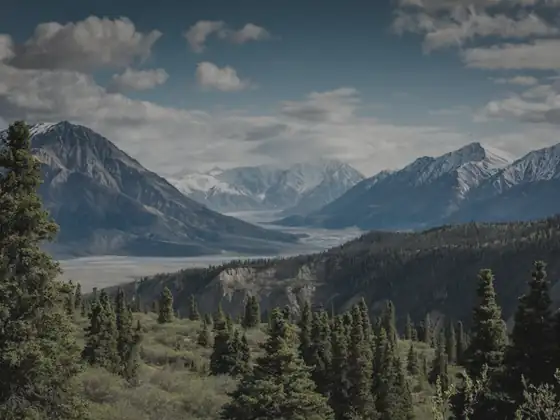 BeforeAfter
A4, Letter or fit. Drag to reorder.

 PDF
Resize too. GPS is removed from copies by default.
 IMG_2041.HEIC
MP4, a smaller 720p MP4, WebM or audio only.
No account, no tracking, no telemetry. Your photos never leave your computer.
Indexing never moves, renames or changes your files. Edits and exports save as new files.
Settings shows exactly what is stored on your computer. Back up, restore or erase all Dot Photos data in one click. Your photos are never deleted.
Choose a folder, use your Pictures folder, or let it look for you. It searches your drives, skips system folders and icons, and lists photo folders for you to confirm.
A progress bar shows how far it has got, and photos appear as they are found. A short start guide shows you around, and you can hide it.
Thumbnail grid with adjustable size and six sort orders, and a sidebar for favorites, videos, screenshots, tags, folders, albums and files it can't open. Full-screen viewer with zoom, pan, view-only rotate and keyboard shortcuts.
Browse by year and month. Photos with GPS group into areas, worked out offline.
Date, size, camera, location, folder, editable tags and the text found in the photo.
On this day, recently added, a throwback year and a favorites mix, the same picks all day, and you can dismiss any. Slideshow in full screen with 3, 5 or 10 seconds, shuffle and smooth fades.
Name, folder, tag, dates and ranges, size, width and height, orientation, camera, file type, GPS, favorites, screenshots, blurry or dark.
Words on signs, receipts and screenshots are read in the background, fully offline. Search finds them.
Describe a photo, like “dog on a beach” or “birthday cake”. Needs a one-time download of about 155 MB (an open image model), checked before use, then works offline. It matches objects, scenes and colours, not specific people.
None of them change your files. The selection bar acts on everything selected, and “Needs review” lists photos not yet tagged or in an album.
Save any search as an album that updates by itself.
A live preview, clash checks and one-click undo.
Exact copies checked byte for byte, and look-alikes with adjustable strictness.
Keeps the sharpest shot of a burst and finds blurry or very dark photos. You review and tick, and removed files go to the system Trash so you can restore them.
Two photos side by side with linked zoom, or a before/after slider.
Free, original, square, 4:3, 3:2 or 16:9 crops, rotate, flip, Auto enhance, brightness, contrast, colour, warmth and sharpness. Hold to see the original. Saves “name (edited)” next to it.
JPEG, PNG or WebP with a preview of every new file, and GPS removed from copies by default. Make a PDF from photos in A4, Letter or fit, dragging to reorder. Exports never overwrite existing files.
MP4, a smaller 720p MP4, WebM or audio only.
Dark or light, six accent colours and four text sizes.
Thumbnail size, file names on or off and your default sort.
Shortcuts for everything, and every control is labelled for screen readers.
Fair, simple pricing. Downloads aren't available yet. Join early access and we'll email you the price when it's ready. No payment now.
Downloads aren't available yet. Join early access and we'll email you when it's ready.
No. It reads your folders where they are. Edits and exports are saved as new files.
Only if you want it to. People is optional: after a one-time 39 MB download it groups faces on this computer. Faces are never uploaded, and you can erase all face data with one click. It isn't perfect with side profiles, babies and tiny faces, so you can merge or fix groups.
Removed files go to your system Trash, so you can restore them. Batch rename has one-click undo.
No. Only the optional Smart search model needs a one-time download.
Yes. Settings shows what's stored and erases all Dot Photos data in one click. Your photos are never deleted.